See the whole shoot.
Keep the good ones.
Point it at a folder of stills and footage. Rate, mark, fix and hand off. Nothing is imported into a library.
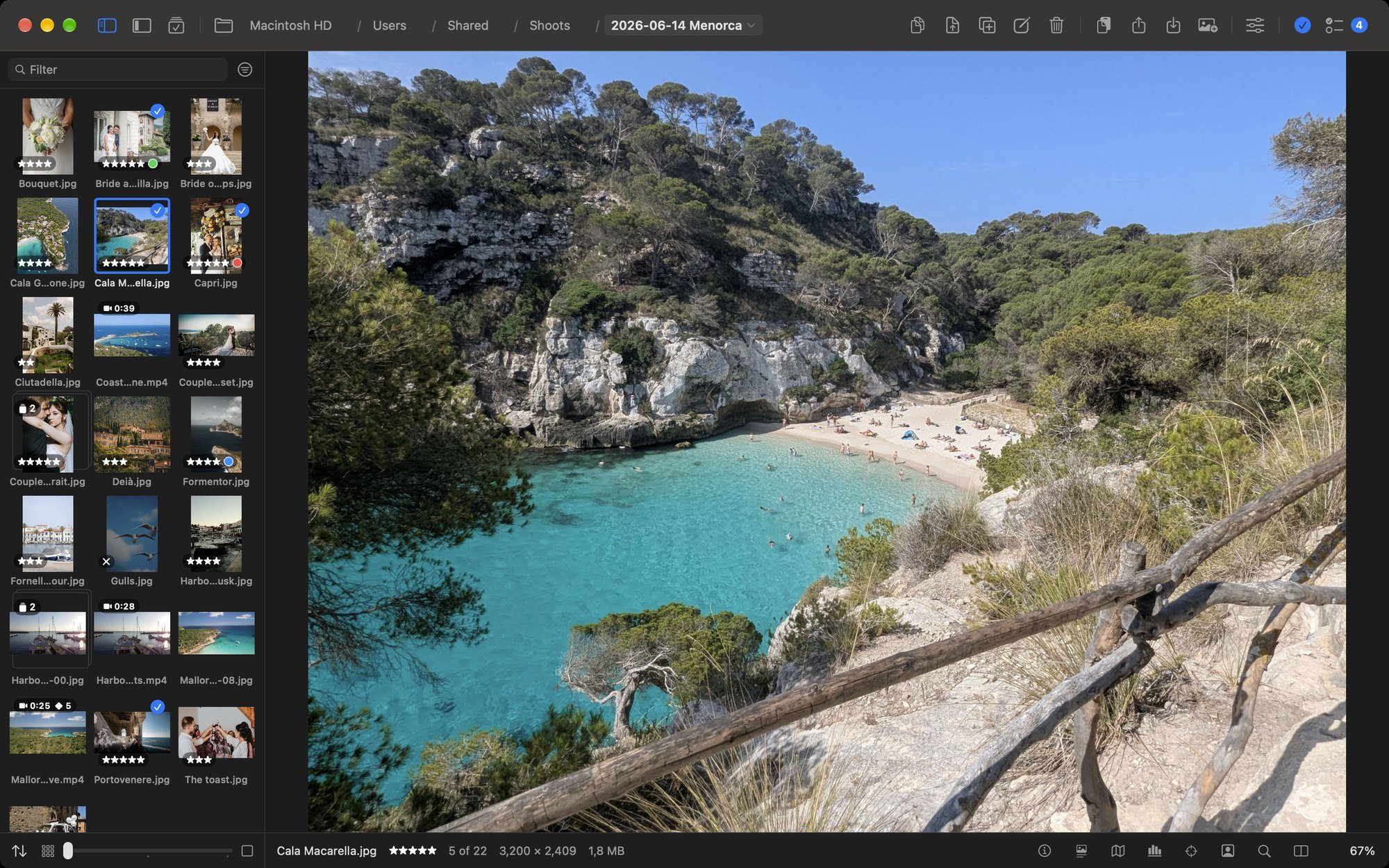
Cull at the speed of a keypress.
One key per decision, on the picture in front of you or the whole selection. Turn on culling mode with C and every star or reject moves straight on to the next frame.

Ratings go where Lightroom, Capture One and Bridge will find them: a RAW's into its .xmp sidecar beside every develop setting already there, and a JPEG, HEIC, PNG or TIFF's inside the file, rewritten without touching a pixel.
Stills, footage and files, in one rail and in the order you shot them.
Is it sharp? Which is the keeper?
- LA loupe at 100 to 800% that stays on the same eyes as you arrow through a burst.
- PFocus peaking paints every crisp edge green, at any zoom.
- V NCompare two frames as a wipe or side by side, or survey up to twelve, with zoom in step.
- HA histogram, with blown highlights tinted red and crushed shadows blue.
- ⇥Faces found on your Mac. Tab zooms to each, and closed eyes are squared in orange.
- GBursts and similar shots fold into one thumbnail showing the keeper.
Clips get the same attention as stills.
- J K LShuttle like any editor, faster with each press, and step frame by frame.
- MMark a moment and add a note. It is written to the clip's sidecar the way Premiere writes one.
- I OSet in and out points, then export each range as its own clip or join them into one.
- SSave the frame on screen as a full-size still, or one at every marker in a go.
- ◌Claps and slates show up on the scrubber, one click from becoming a marker.
- 4KClips are never prefetched and only one player is ever alive, so 4K browses like JPEG.
Off the card and onto the drive, named properly.
- SDOffload Card copies the whole card, checks every byte, and says if anything was left behind.
- ★Or offload only the keepers, by rating, label or reject.
- ⌘↩Rename with a pattern. The whole plan is shown first, and one undo reverses it.
- ⌥⌘EIPTC templates with your name and rights, stamped across a selection.
- .xmpSidecars, JPEG twins and drone logs travel with their picture.
- ⌘ZEvery copy, move, rename and trash can be undone, even out of order.
The questions you ask of a picture, one key each.
112 features →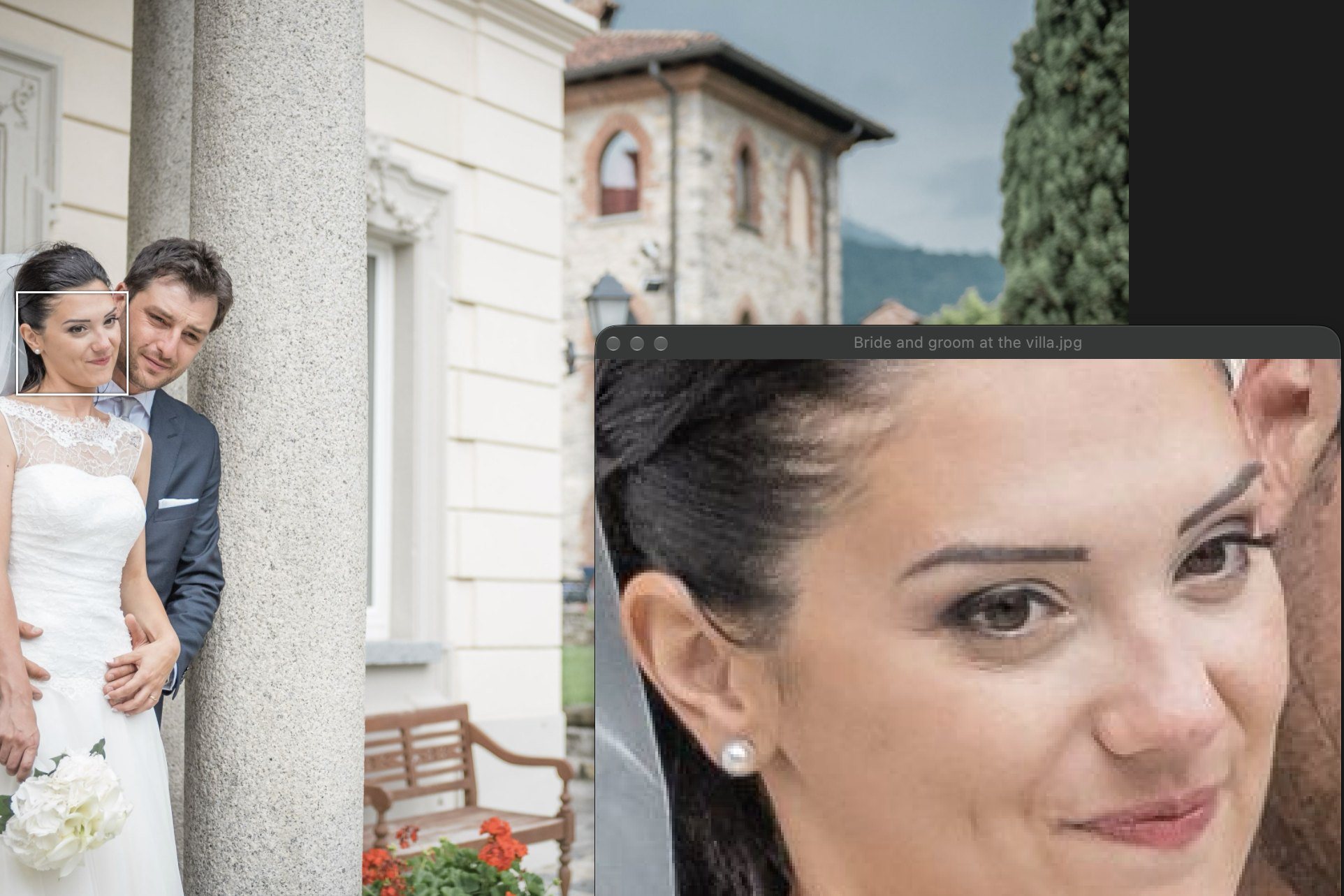
The loupe holds its spot on the eye while you arrow through the burst.
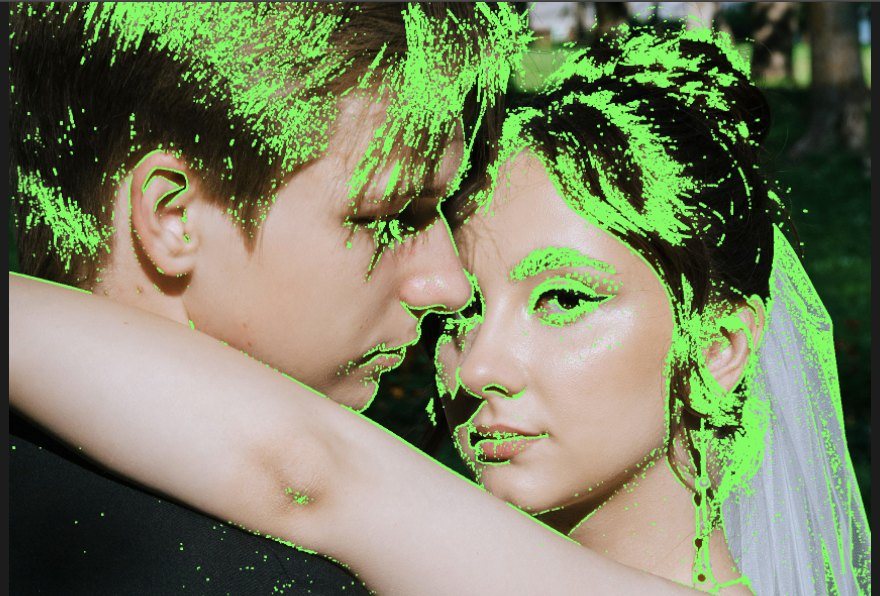
Focus peaking paints every crisp edge green, at any zoom.
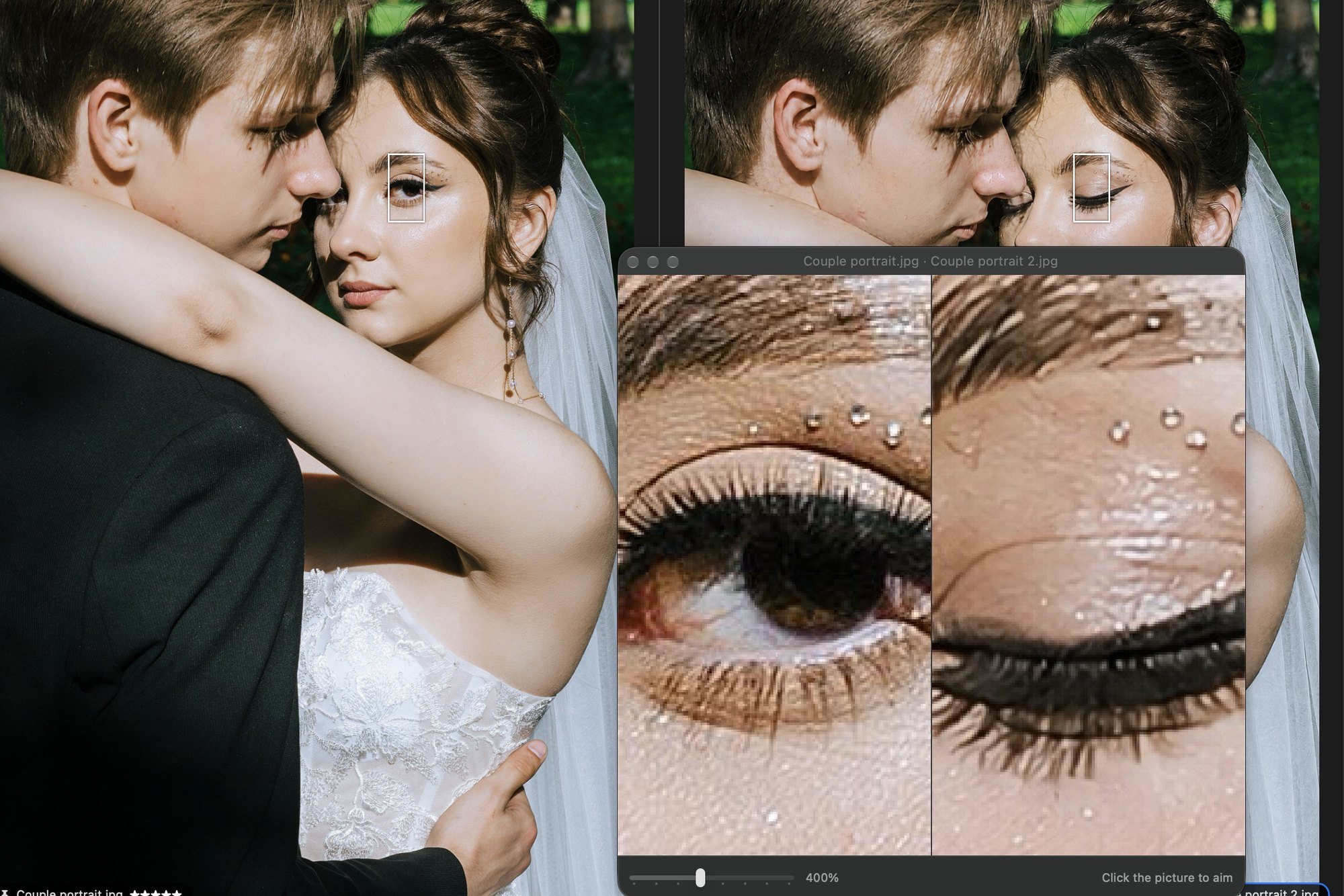
Two frames side by side, and the loupe splits to show both at the same spot.
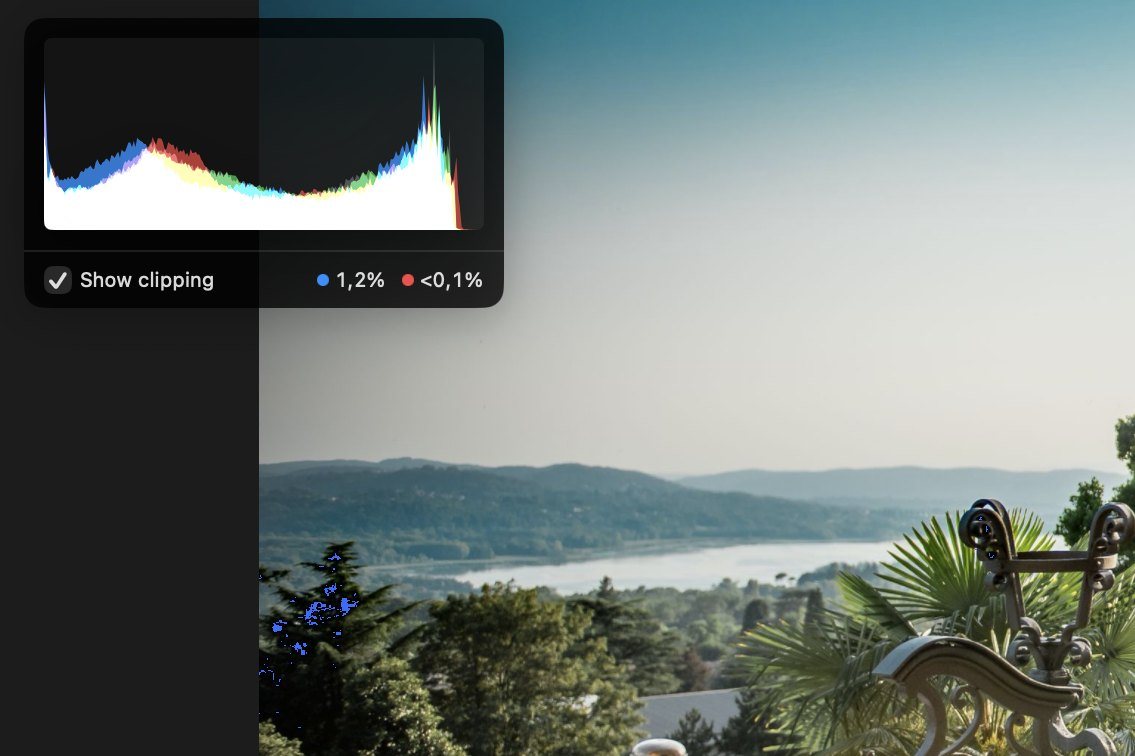
Blown highlights in red, crushed shadows in blue, on the picture itself.
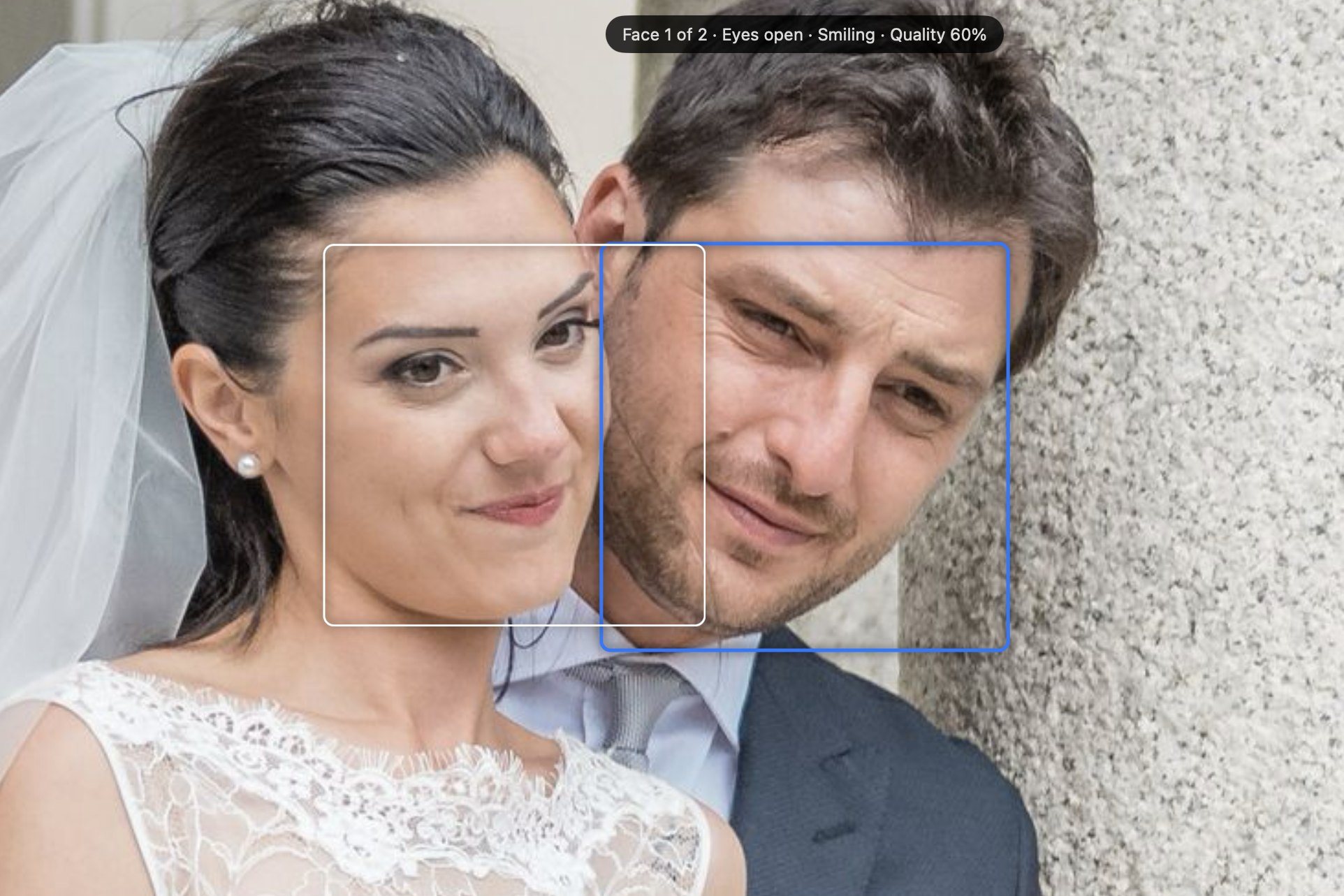
Tab zooms to each face and tells you: eyes open, smiling.
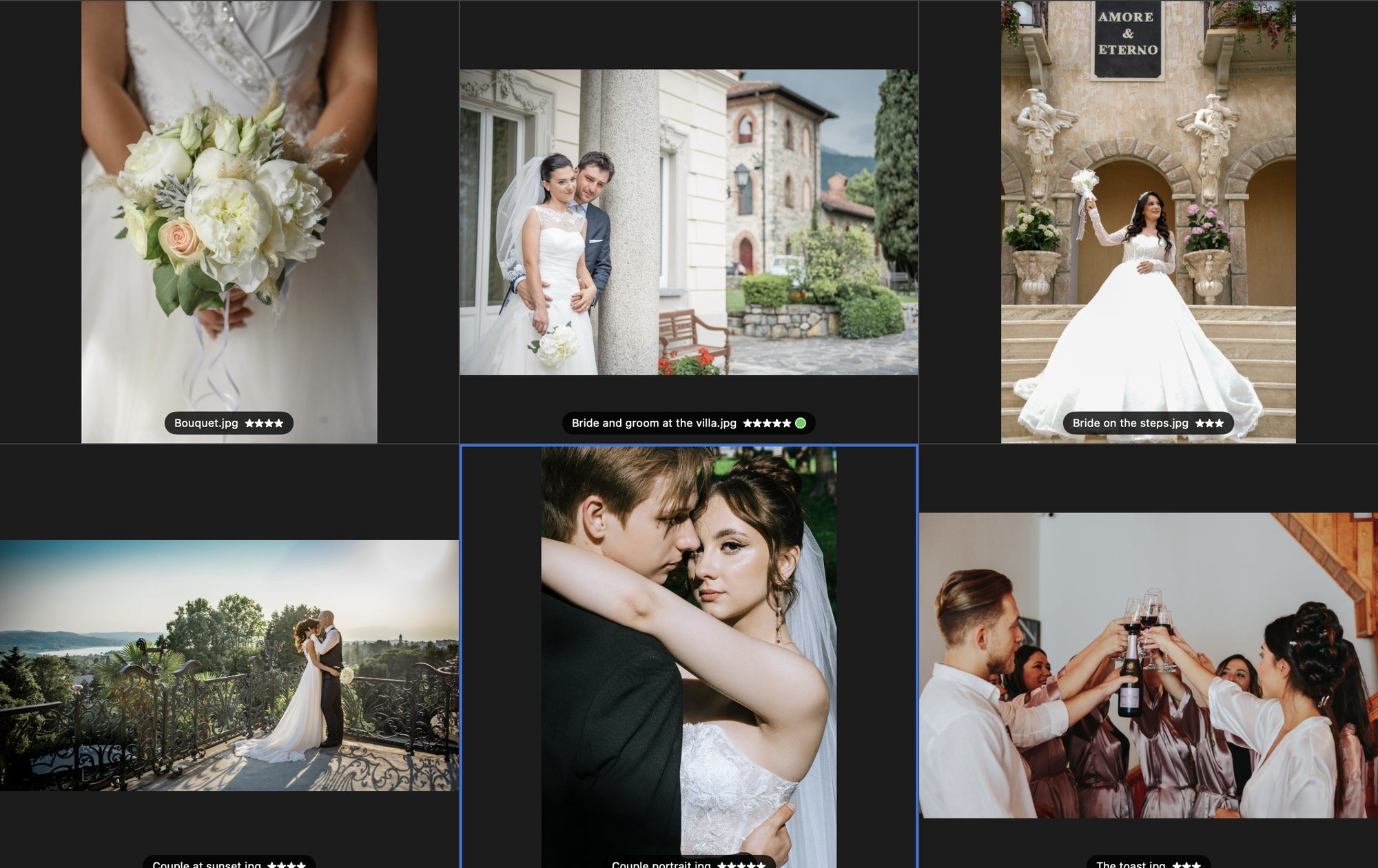
Survey lays out a burst or the pictures picked out, and the keys rate the ringed one.
Finish the keepers.
Press E and the edit panel opens beside the picture: Adjust, Filters and Crop, with Auto Enhance to start you off.
Save an edit as a preset and put it on a whole selection, or on every photo as the card is offloaded.
The pixels are never touched until you ask. The edit is kept in the file's XMP, beside its rating.
Editing →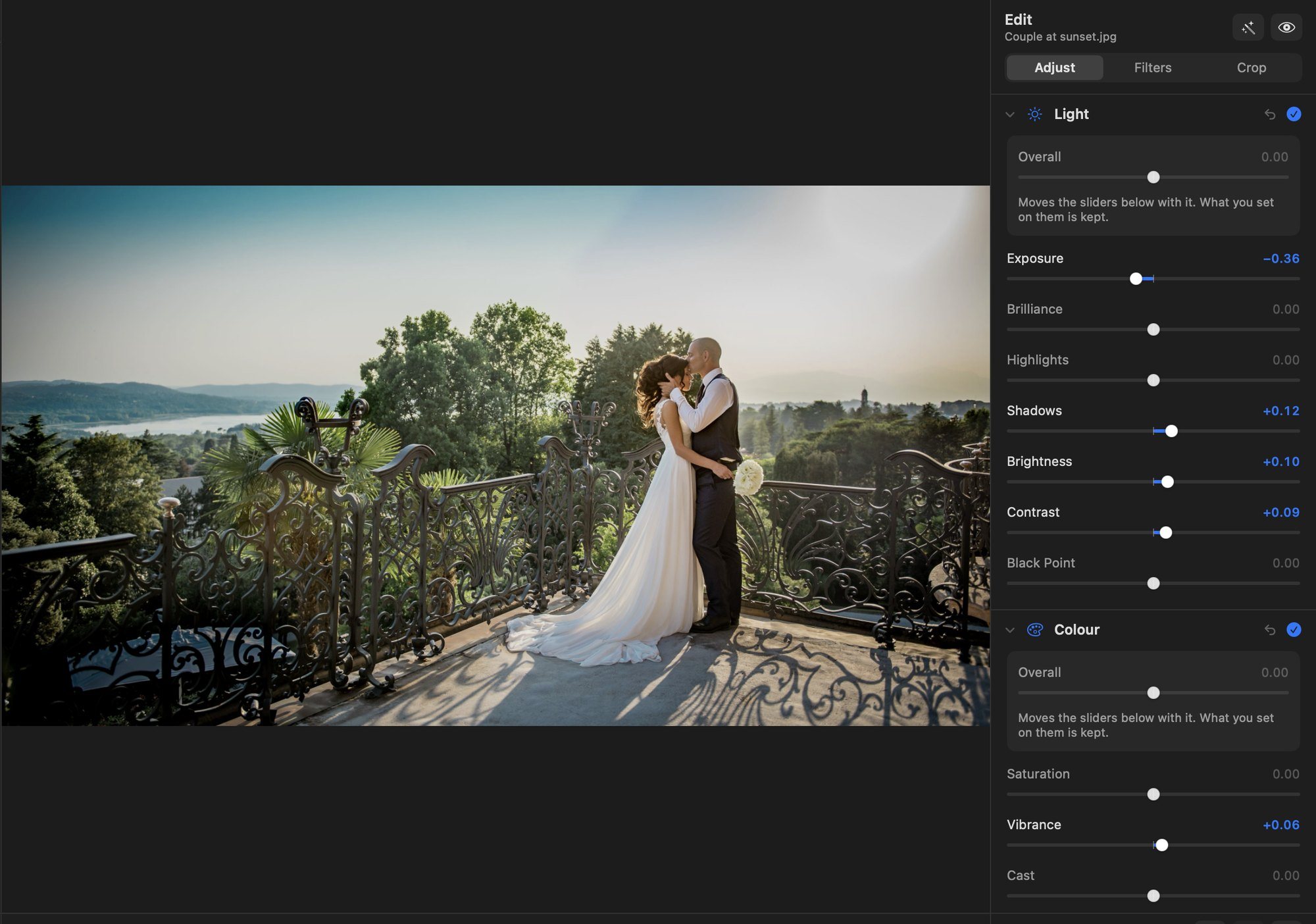
Mark the moments in a clip.
A transport bar sits under every clip. Markers and ranges are saved in the clip's own sidecar, so they travel with it, and a clip's thumbnail shows how many it has.
No other culler marks a clip and hands it on marked.
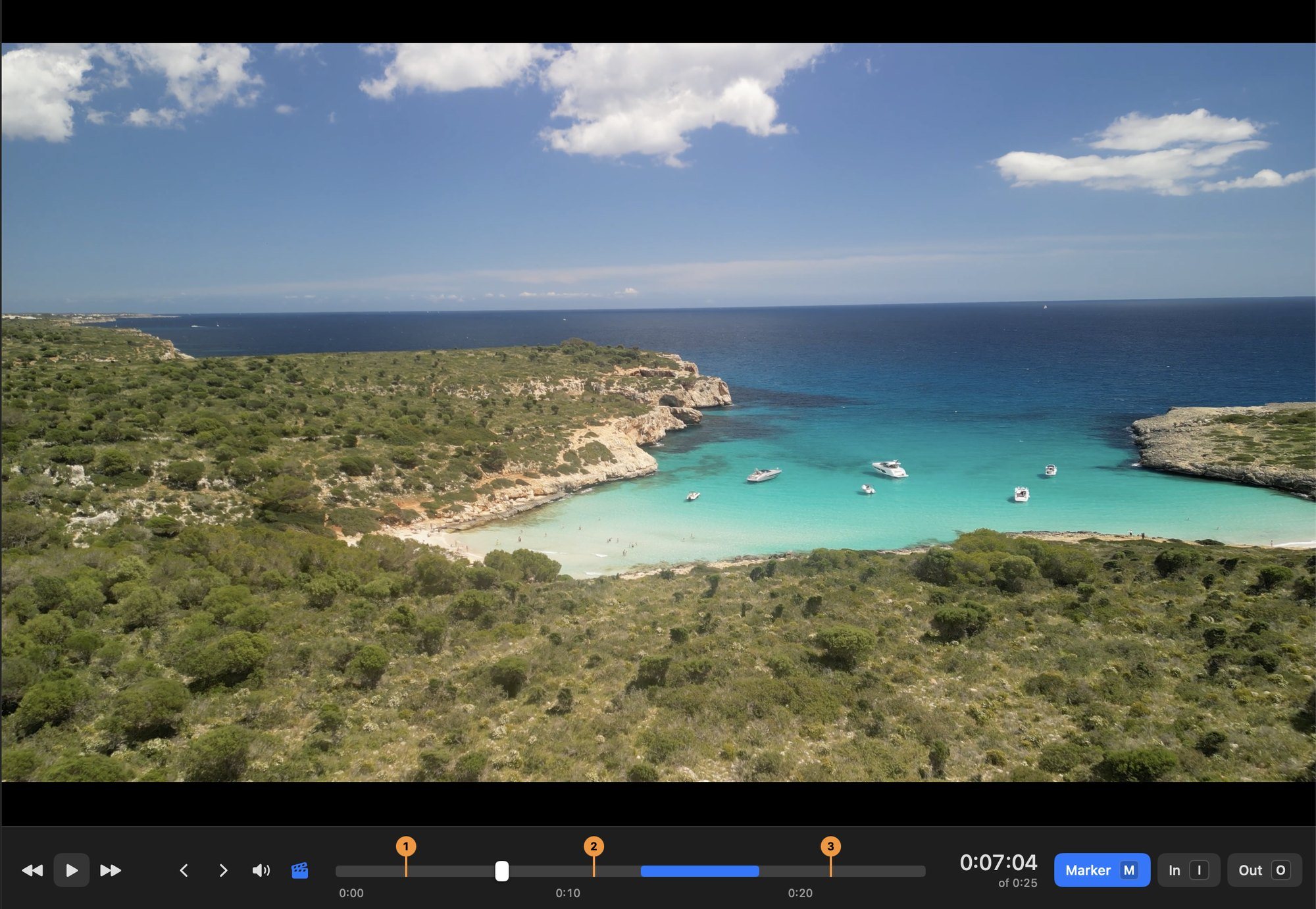
Read what the drone logged.
Descarte reads a DJI clip's flight log frame by frame. The map draws the whole flight with your markers along it, and a dot follows the playhead with its height, speed and distance from take-off.
A still saved from the flight lands on the map with the drone's position and the frame's exposure. Export the track as GPX with a waypoint at every marker.
Your decisions go where the next app looks.
Nothing is locked in a catalogue. Every rating, mark and range is written in a format the rest of your tools already read, and an edit travels in the same XMP: a crop opens cropped in Lightroom, unless the picture was also turned, flipped, straightened or squared up.
Shortcuts you can type on any keyboard.
Every shortcut is made of letters, digits, arrows, Return and Delete. No brackets and no slashes, because on a Spanish keyboard a slash is Shift-7. The arrows always change picture, at any zoom, on stills and clips alike.
“I fly the drone and shoot on the ground the same day. In Descarte it all lands in one folder: the aerials next to the camera clips and the stills, rated with the same keys. The day comes back as one story, not two piles.”
Point it at a folder.
Descarte for Mac is free for now. It is signed and notarized by Apple, and needs macOS 15 or later.
Descarte comes in English, German, French, Spanish, Italian and Brazilian Portuguese.
Descarte runs on the Mac. Open this page there to download it.